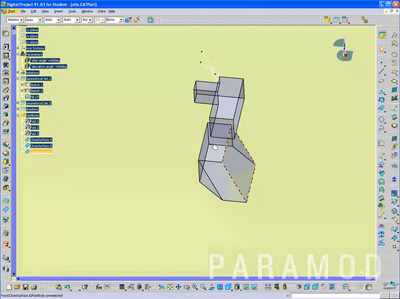
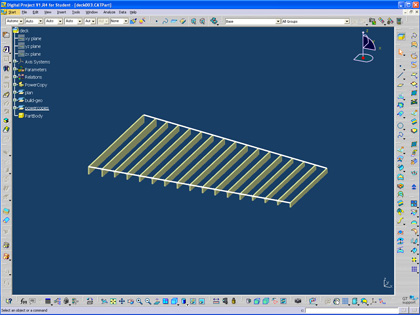
Short tutorial that covers conversion of area to height. It also shows the manipulation of a multi-section void.
Click the image to start the video.
Saturday, March 6, 2010
Attractor Point tutorial added
Finally had a chance to go back and complete the video tutorial for the attractor point tutorial.
Click here for the video.
Saturday, February 27, 2010
Projecting Solid Shadows
Short tutorial that demonstrates the creation of solid shadows. Click the image to launch the video.
Labels:
parametric,
studio,
tutorial
Thursday, February 11, 2010
First time teaching Knowledge Patterns
Last night was the first time to roll out knowledge patterns in the seminar. In the three hour format it was a bit rushed but we have two weeks to work on this assignment so I am optimistic that people wil be able to work through the flow of the various steps and operations.
I am curious to see if the power of the scripting out weights the perceived difficulty of the scripting and the process. I hope that after the two previous weeks everyone is tired of manually instantiating their parts. I am also curious to see what new types of projects will emerge from this type of tool.
Labels:
knowledge pattern
Sunday, February 7, 2010
Document Template Tutorial with Rules
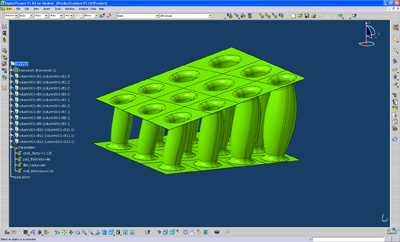
This tutorial starts with an existing framework (download here). I also included two rules to control the circles to always sit inside of the control points.
The document template allows you to deal with advanced replication of solids. It also allows you to create separate files for each part, so that each instance can be modified independently.
If you want to jump ahead to the actual making of the document template you can download the geometry for the part (here).
The document template allows you to deal with advanced replication of solids. It also allows you to create separate files for each part, so that each instance can be modified independently.
If you want to jump ahead to the actual making of the document template you can download the geometry for the part (here).
Labels:
document template,
rules,
tutorial
Sunday, January 31, 2010
Attractor Point with Range
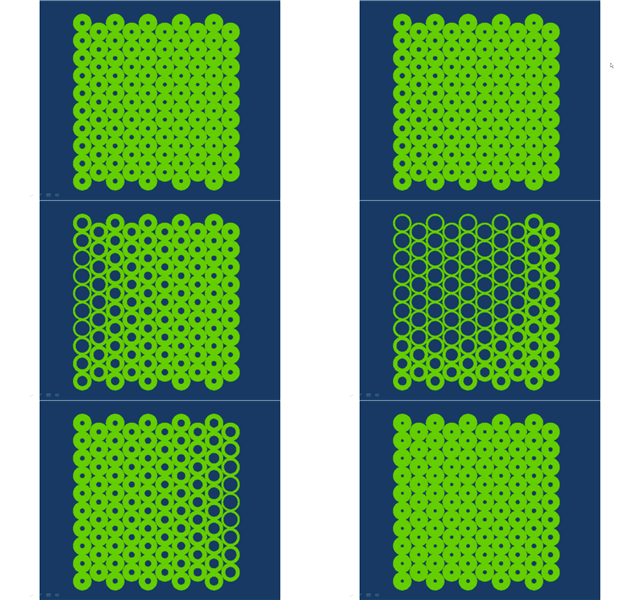
I received a request recently about using an attractor point in DP. This was a famous early Grasshopper example so I figured I could do a simple version using DP. The tutorial also includes a powercopied rule to set the range of the attractor point allowing for greater or lesser impact of the point on the circle radii.
Here is the text for a rule that gets powercopied with the geometry:
Here is the file if anyone wants to work through the example (file here). Click on the image below to start the video.
Here is the text for a rule that gets powercopied with the geometry:
if buildgeo\radius_inner > radius_max
{buildgeo\radius_float = radius_max }
else if buildgeo\radius_inner < radius_min
{buildgeo\radius_float = radius_min }
else {buildgeo\radius_float = buildgeo\radius_inner }Here is the file if anyone wants to work through the example (file here). Click on the image below to start the video.
Saturday, January 30, 2010
Thursday, January 28, 2010
FAB Lab at Michigan officially opens
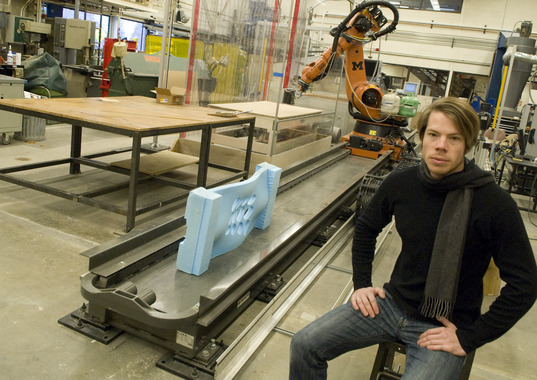
Short article in the local paper about the FAB Lab open house. (I hope the robot doesn't crash into the foam mold, obviously placed for the photo!)
The FAB Lab opening was also the topic of a recent local radio interview on the Lucy Ann Lance Business Insider – 1290 WLBY, Ann Arbor, MI. Click here to listen to the January 20th interview.
Labels:
misc
Saturday, January 23, 2010
Rules & Powercopies
Here is a DP tutorial that includes powercopies and rules. Instead of creating a range of powercopies with a uniform variation, I model it as lumber with specific sizes. The rule then allows for specific shapes to be placed depending on the context of the framework. The rule is also dynamic so as the context changes the rule is able to update the geometry.
Here is the simple text required to make the rule. Both "depth" and "joist_length" are linked parameters.
if joist_length <= 110in
{depth=5.5in}
else if
joist_length >110in and joist_length<145in
{depth=7.25in}
else if
joist_length >145in and joist_length<185in
{depth=9.25in}
else if
joist_length >185in and joist_length<225in
{depth=11.25in}
else if
joist_length >=225in
{depth=.75in}
Here is the simple text required to make the rule. Both "depth" and "joist_length" are linked parameters.
if joist_length <= 110in
{depth=5.5in}
else if
joist_length >110in and joist_length<145in
{depth=7.25in}
else if
joist_length >145in and joist_length<185in
{depth=9.25in}
else if
joist_length >185in and joist_length<225in
{depth=11.25in}
else if
joist_length >=225in
{depth=.75in}
Labels:
tutorial
Saturday, January 16, 2010
Blogs, RSS Feeds, and Pipes
Short video that covers the creation of blogs, the role of RSS feeds, and the aggregation of RSS feeds. For the past year I have been requiring my students to document their work and use a personal blog site to comment on their work and synthesize different types of peripheral studio information. As our studio format has moved to two days a week, the blog gives me a chance to see what my students are up to in the days between studios and gives me an easy ways to comment. The RSS feed keeps me up to date by notifying me when something is added to one of their blogs.
Click the RSS icon to start the streaming 13 minute video.
Labels:
general technology
Tuesday, January 12, 2010
ParaMod Seminar - Tutorial001
This semester the ParaMod seminar will be addressing the role of precedent and our ability to build on and manipulate existing rules and work. Tutorial001 asks the students to model the plan of an existing project, uncover the rules, and produce 5 variations.
The student work blogs will be aggregated in the widget in the bottom right.
The following tutorial gives my quick approach to such a problem. The tutorial models Borromini's San Carlo and UN Studio's Ponte Parodi project. Click the image to start the streaming video.
Labels:
parametric,
seminar,
tutorial
Monday, January 4, 2010
Research Through Making Exhibit
Sorry for the holiday delay in posting. Once reviews were done I needed a break. We have been working on the exhibit of the first group of Research Through Making projects. The exhibit will be on display starting on January 15th. I have been working with Chris Johnson to animate a few of the material studies that were developed at the beginning of the project. In all there should be 5 interactive prototypes. Still working on the drawings and repairing some of the models. I'll post some images once the exhibit is installed.
The interactive pieces are an array of LEDs with a PIR motion sensor controlled by Arduino boards. We tried various code options but in the end recycled the code developed by John Marshall on the FIRE project. The laser cut paper models are investigations of various aggregation strategies for a structural system.
Shadow Pavilion paper studies from Karl Daubmann on Vimeo.
The interactive pieces are an array of LEDs with a PIR motion sensor controlled by Arduino boards. We tried various code options but in the end recycled the code developed by John Marshall on the FIRE project. The laser cut paper models are investigations of various aggregation strategies for a structural system.
Shadow Pavilion paper studies from Karl Daubmann on Vimeo.
Shadow Pavilion prototype from Karl Daubmann on Vimeo.
Sunday, December 13, 2009
Snow Cones
We had some snow last week. I rushed over to the botanical gardens to check out the pavilion and was pleasantly surprised to find snow shadows, or maybe the opposite of shadows, focused piles of snow corresponding to each cone. Now I am waiting for a good ice storm to see if we get icicles for each cone.
Labels:
project
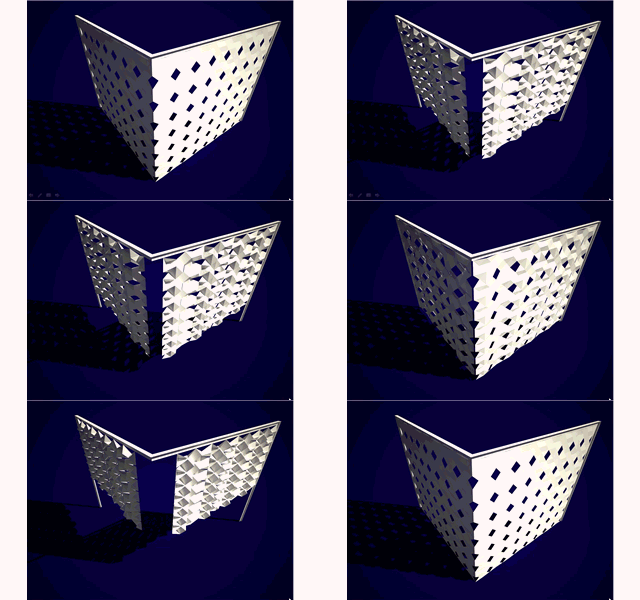
Next iteration of the folding panel
After trying a few options for the folding screen, here is one that uses the corner (or a fold in the surface) to open. I was hoping for a more dramatic range from closed to open but the range is based on the range of the individual module.
I was a bit lazy with the animation, only a few versions to show the range of motion. The panel as rendered is 7 feet high by 9 feet wide.
Labels:
assembly model,
project
Tuesday, December 8, 2009
The next project with John and Cezanne
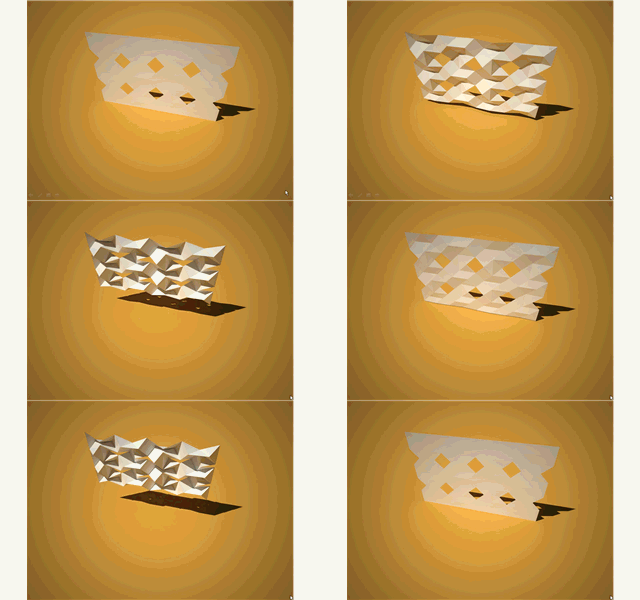
John, Cezanne, and I have been working / talking about the next project since this past summer. While we are still in the early stages, or at least my part of it is in early stages, I had a break through with the assembly modeling component in DP. The installation will be at a museum in Japan and we are trying to work with a repeated interactive module and origami. Below is a simple animation of the repeated parts as they fold. The top left corner is fixed, and as a result as the parts change, it impacts all the connected modules.
Below are a few of the parts simply arranged that also rolls the surface into a cylinder.
Labels:
assembly model,
developable,
parametric,
project
Wednesday, November 25, 2009
To some, this might seem redundant.
Labeling a stack of plywood, "PLY". The joke is that that is the name of the office. The driver did not appreciate that I asked him to step aside so I could take a picture.

Labels:
misc
Hydrophobic Surface Mapping
I have been working on a new knowledge pattern project that maps the flow over a surface. The bigger project is to develop a new form of tiling that incorporates performance into the patterning and surface subdivision. In the first series below, you can see the various steps to the flow pattern (the original surface, the first knowledge pattern that creates a set of isocurves, and then the lines of flow based on the difference between vertical and the surface normal at that intersection.
Below are a couple of variations as the surface is manipulated. The next immediate step is to capture the lengths of the lines and possibly vary the line weight to better graphically represent the impact of slope. (click the image for a larger view)
Another iteration. (click for larger view)
Below is an obvious example of water moving across a surface. The Lotus Leaf surface is "hydrophobic", keeping it clean because of its ability to repel water.
Labels:
knowledge pattern,
parametric,
project
Monday, November 23, 2009
Back from CA
Had a great trip out to CalPoly SLO this past weekend. The student work that I saw looked very interesting and I also had a chance to see the progress of a design build studio led by Mark Cabrinha. I was also blown away by reviews outside, could never happen in Michigan.
Obviously had to get some good food along the way. In and out burger a must at LAX and Sushi Gen an LA favorite.
Labels:
misc
Wednesday, November 18, 2009
Lecture on Friday
On Friday November 20th, I'll be lecturing at CAL POLY as part of the Hearst Lectures. The theme this term is "Integrated Practices". I will be discussing current work from PLY and recent research interests at U of M.
Labels:
misc
Monday, November 2, 2009
Knowledge Pattern Tweek
So it was a simple test tonight, maybe just to try it and see if it worked. I am already plotting the next tutorial that will involve some form of 'intelligence' for the insertion of UDFs. The simple test tonight was to color the UDF based on the even or odd values of i and j. Since there is no even or odd, I had to use MOD. In this case there are if/else statements to change the color.
Future tutorial will create a script that decides which UDF to insert given a certain condition. At least this is where I am heading. It will probably just be a simple condition, but way in the future this might be based on curvature or planarity.
Using the previous tutorial you can insert the following text in place of the p1.color line:
if mod(j,2)<1 and mod(i,2)<1
p1.Color = "143,188,143"
else if mod(j,2)>0 and mod(i,2)>0
p1.Color = "193,205,193"
else
p1.Color = "193,205,193"
else
p1.Color = "131,139,131"
Labels:
knowledge pattern,
parametric
Subscribe to:
Posts (Atom)