skip to main |
skip to sidebar
I had a chance to go out to the shadow pavilion this weekend to make sure it was still standing. It is still there and the colors of the trees are starting to change.
Here are a few more photos that were taken of the pavilion with a long exposure during the full moon.
On Friday we received word that the Shadow Pavilion has been cleared by the University Review Committee for construction. Most of the parts are assembled and are ready to be moved to the botanical Gardens.
 The site is being prepped this week and the installation will begin, weather permitting.

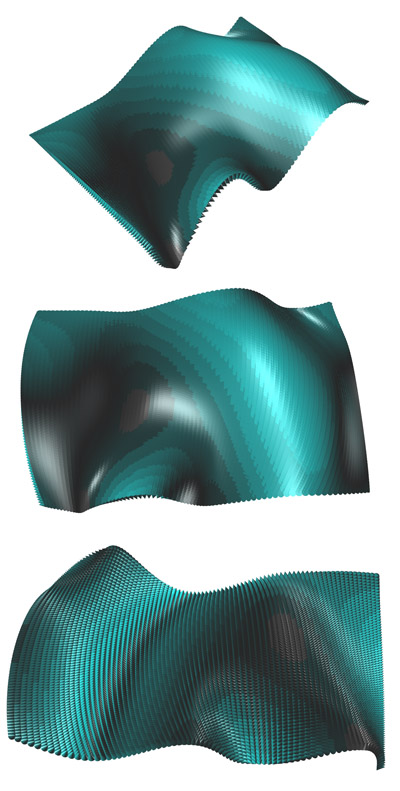
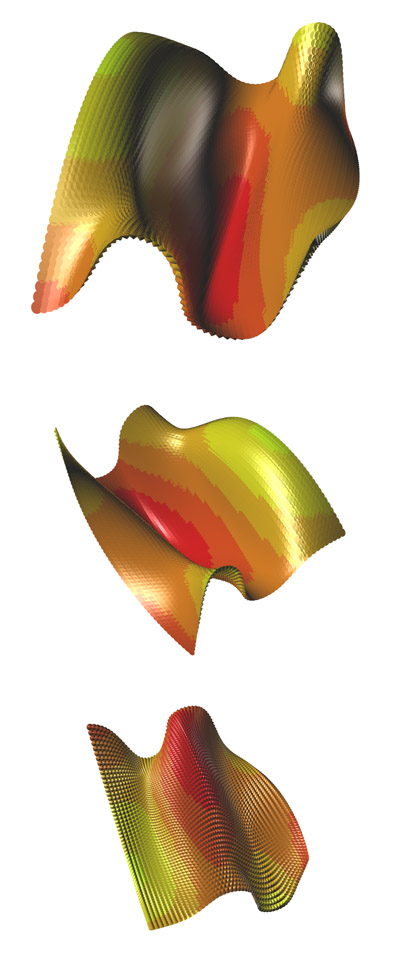
We had our second session with Marc Fornes this week and we started with a discussion of surfaces. The logic of surfaces relies on U and V instead of X,Y,Z. In the following studies I convert the UV back to XYZ so that I can map the height of the parts. The color is used to distinguish height. On my first iteration the color was gradual. In the included images, I rounded the values to the nearest 10 so that there are height contours shown with the color. The studies were useful to get a better handle on arrays, capturing and using lists of values to map the cones to the surface and capture their Z values to control the color.Here is a link to the script. Caution as it might be a bit sloppy as I was throwing all sorts of variables in to get it to work.
Building on the first scripting session I had a chance to play a bit more. Using the simple equation for a spiral, I created a curve to link the points, and then a series of lines to link other points. I guess it is a spiral bowl of some sort. The black dots are text dots so I can be sure which points to link with the lines. This can be turned off or on easily within the script. Here the loop helps to create the spiral. This was much harder to do with Grasshopper given the lack of looping. Here are a series of variations that manipulate the spiral equation to get different effects.Here is a link to the rhino script file.

This semester we have Marc Fornes doing a visiting grad options studio. In addition to that, we convinced him to do a few workshops for the faculty. So far we have had one 3 hour session and we were already making things. It was a great session, not stuck in the tediousness of variable types or anything like that, instead we made something, kept building, and could see the differences right away.
 I had a couple hours to play today so I manipulated a few of our simple scripts from last week. Using a loop, arrays, and a couple of 'if then' statements, I am able to control the location, size, and color of many objects. In the examples I am using a bunch of spheres. The session this week will work on surfaces. Here is a link to the RVB file.


 The site is being prepped this week and the installation will begin, weather permitting.