The work is progressing nicely in the Intro to Robotic Fabrication seminar at Taubman College. The work of the seminar is aggregated on the course blog (HERE).
The seminar uses the Kuka Agilus Workcell to explore the potential of parametric thinking with architectural models. The architectural model represents an important site for architectural speculation and as computational processes create design ambitions where quantity drive qualities robots become a critical mode of architectural model production.
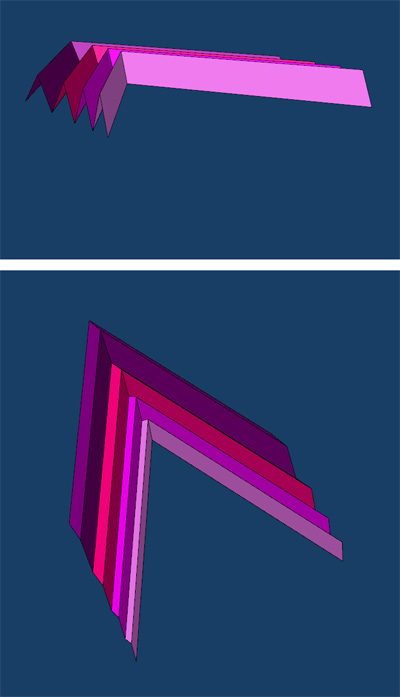
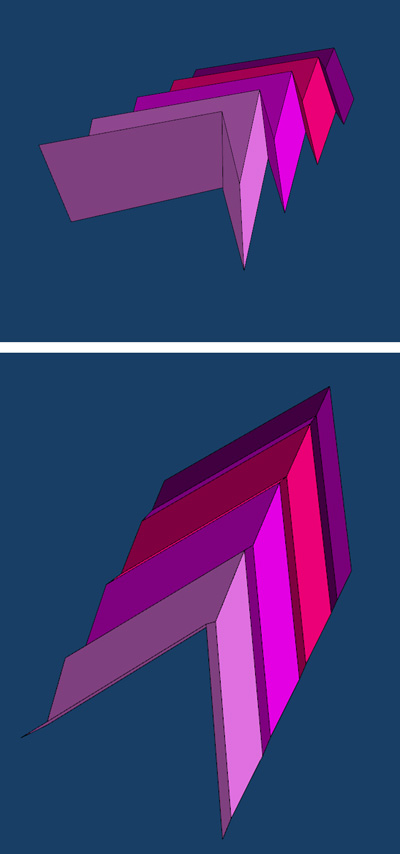
Image from Team BMO in the seminar. Here they are using the two robots to hold strips of waxed felt to produce a model of precisely twisted surfaces.
Showing posts with label parametric. Show all posts
Friday, November 7, 2014
Wednesday, October 8, 2014
New and improved POWERCOPY tutorial
Previous tutorials used sketches to build the powercopy. This new method is much more robust and will not break like previous approaches did. There are times when using sketches makes sense but this method will be less likely to break down.
(click image to launch tutorial)
Based on feedback this video is much higher resolution (so it may take a minute to initiate depending on your connection speed).
It has also been a while since the last video tutorial and my settings were lost. I apologize for the poor sound quality and I will resolve this as I produce future tutorials.
(click image to launch tutorial)
Based on feedback this video is much higher resolution (so it may take a minute to initiate depending on your connection speed).
It has also been a while since the last video tutorial and my settings were lost. I apologize for the poor sound quality and I will resolve this as I produce future tutorials.
Labels:
parametric,
powercopy,
tutorial
Sunday, June 1, 2014
Simple approach to mapping
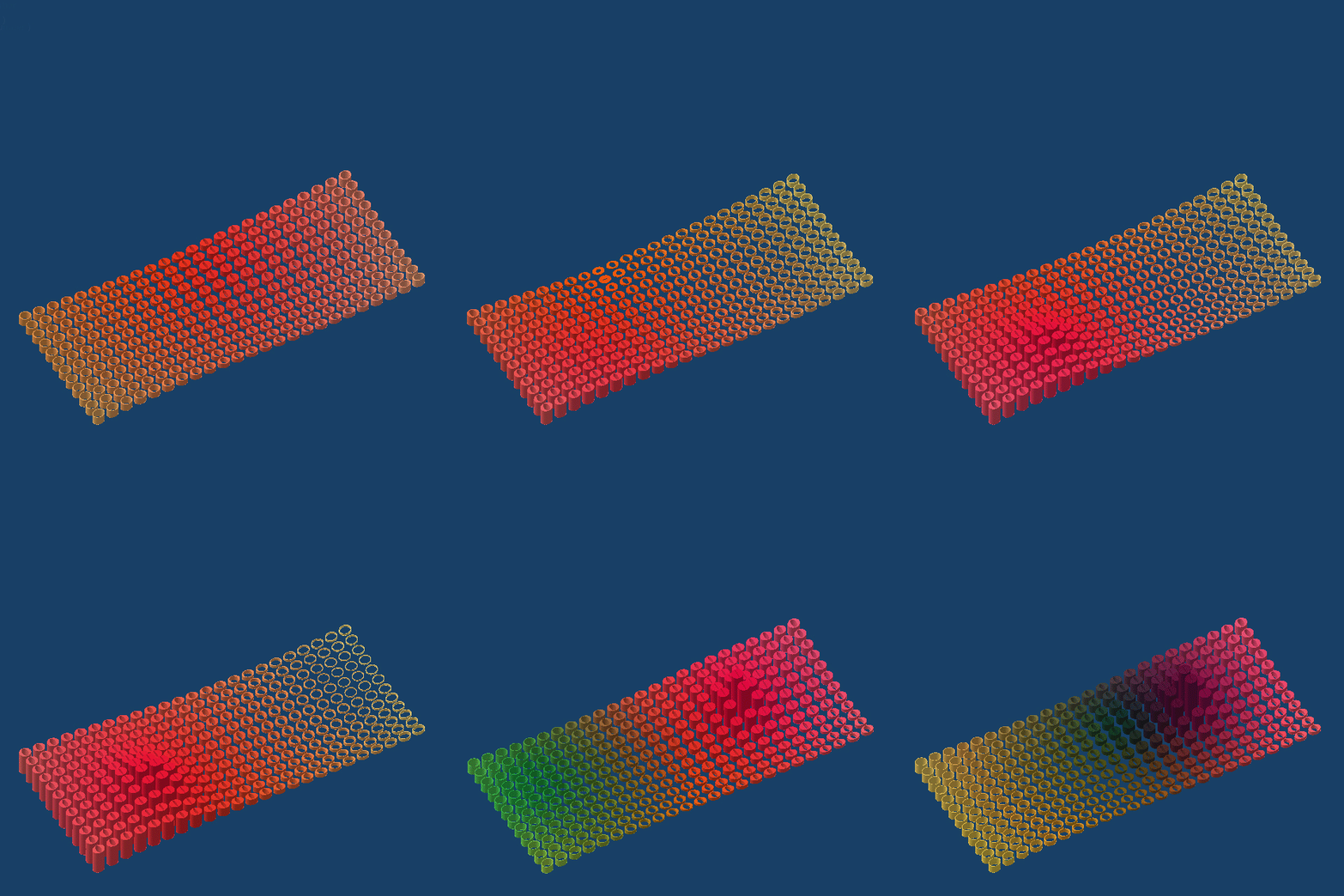
This model is an approach to mapping a series of divergent agendas. A number of geometric and visual traits are triggered by 4 attractor points. The cylinders are generated on a topography. The cylinder varies its height, thickness in two directions and its color as informed by the proximity to the multiple atractor points.
The model uses a knowledge pattern that is informed by a series of embedded rules controlling the color and two thicknesses). The animation only moves the attractor points and leaves the topography in place.
Labels:
knowledge pattern,
parametric,
rules
Wednesday, December 4, 2013
Using Random Rules to Generate Form
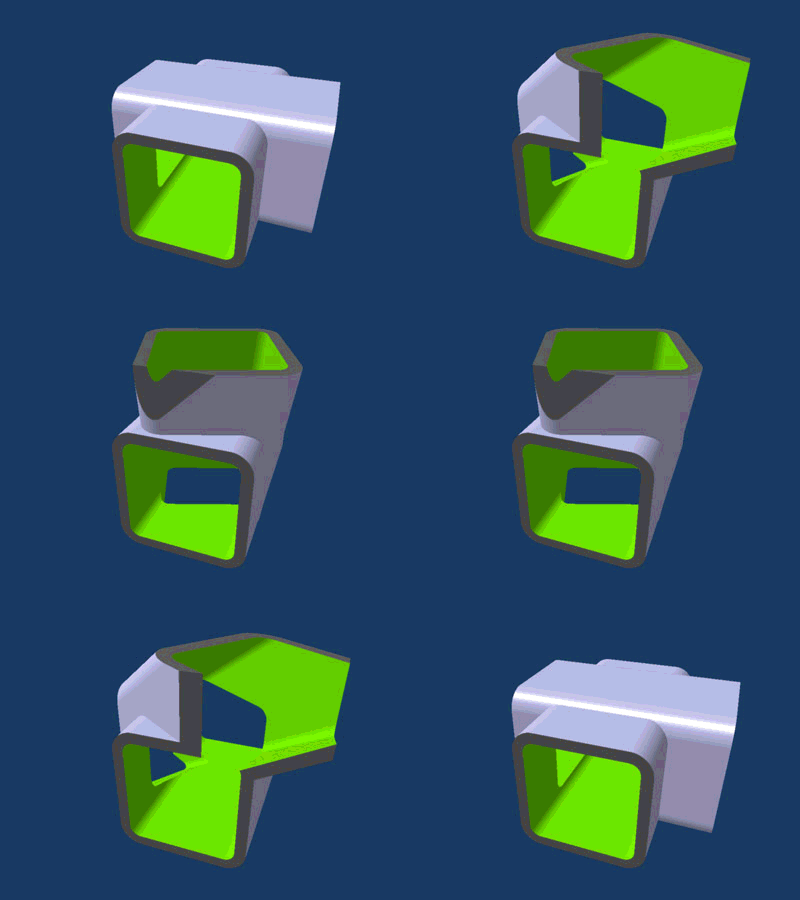
Here are images of a new project where random rules are used to size and orient a box with one open side.
A hybrid design powercopy is used in a part body. Each solid powercopy is located in a framework with one insertion point. A design table pulls random numbers from an excel file. Missing boxes are dropped out with another random rule that allows for some of the boxes to be made interactive (hidden).
Below are additional iterations from a different perspective. The framework is also quite flexible so that can be manipulated by user inputs.
Here is a link to a zip file with the catpart file, the design table excel file, and a txt file with the rule I used to randomize the orientation and size of the boxes.
Labels:
parametric,
powercopy,
project,
rules
Sunday, November 10, 2013
CATIA - Design of Experiments
This tutorial explains how Design of Experiments works with CATIA. This automates the creation of a large population of design solutions based on selected parameters. Click HERE for the tutorial.
Labels:
parametric,
tutorial
Saturday, November 10, 2012
New Knowledge Pattern Work
Work continues this semester with the MS_DT group at Michigan. The Virtual Engagement core seminar is using Digital Project to investigate various computational methodologies. In an effort to stay slightly ahead, I have been brushing up on knowledge templates and scripting in DP.
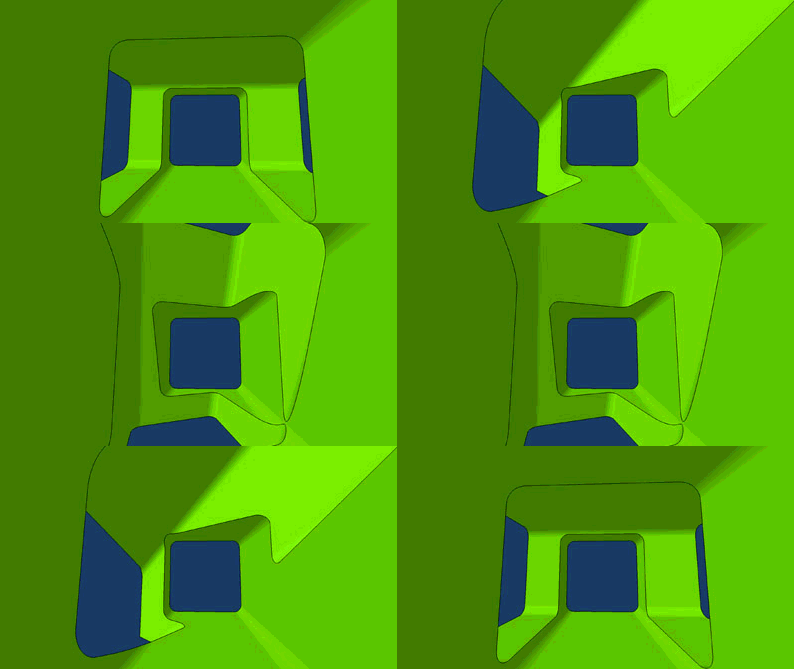
Here is a slideshow of a recent file that uses one surface to drive the UDFs and another surface on the interior to control the depth of the UDFs.
Labels:
knowledge pattern,
parametric
Tuesday, October 11, 2011
Drawing Generation in Digital Project - Revised
Updated tutorial for generating drawings in Digital Project. The older tutorial seems to be out of date with the new version of DP.
20 minute video tutorial for making linked drawings from 3D geometry. Click the image to launch the video.
Labels:
parametric,
tutorial
Monday, September 26, 2011
Parametric Double Negative Study
Here are a couple of simple double negative studies using digital project. A parameter drives the location of one of the intersected voids.
Labels:
parametric,
studio
Sunday, March 27, 2011
Folding structure with variation
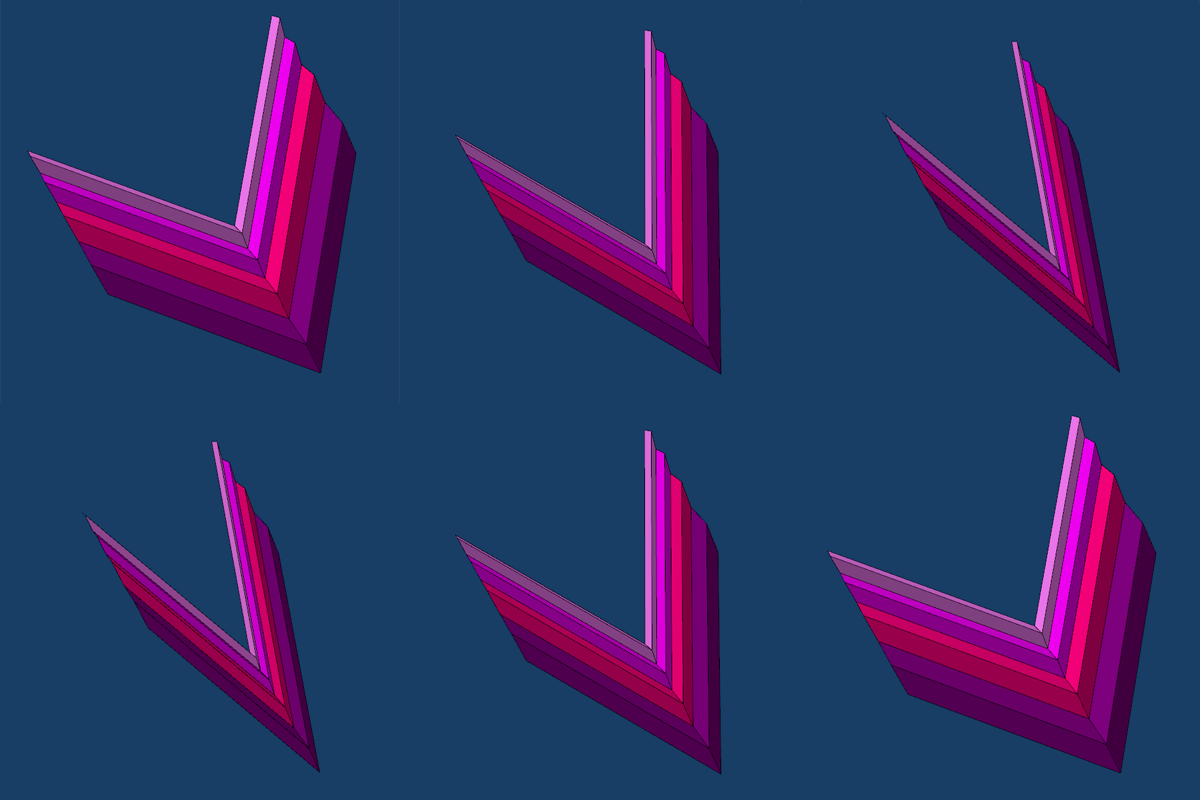
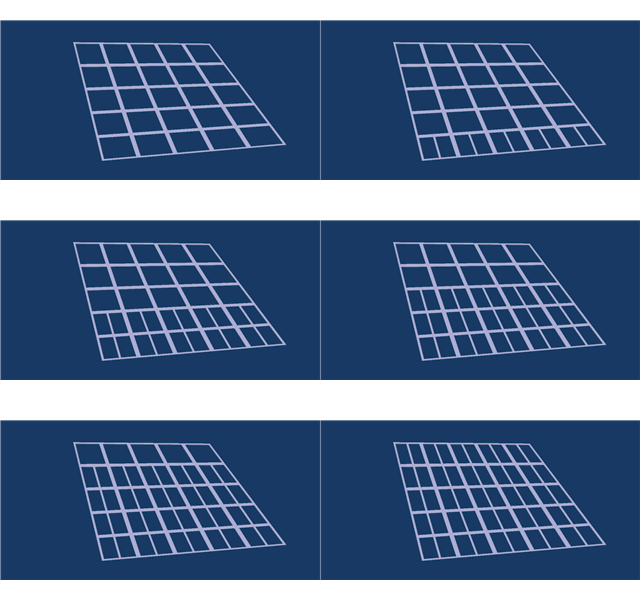
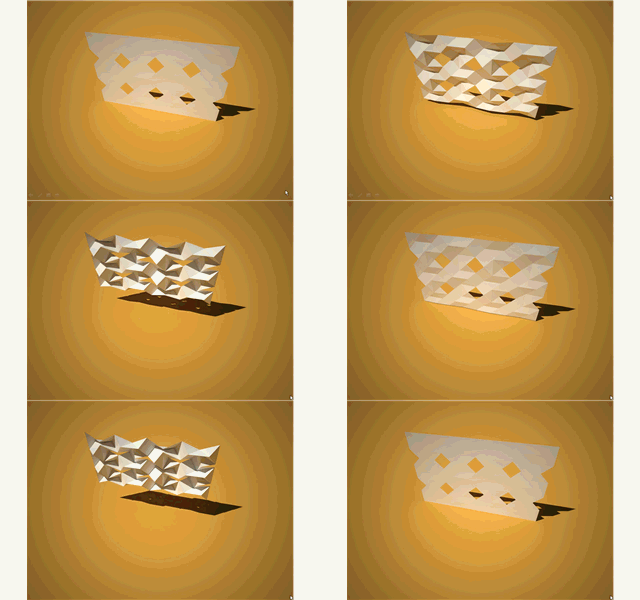
I had a bit of time to finally get around to the next stage of the folding structure. I was curious if a variation in panel dimension or in panel angle would still work in terms of folding. I was surprised to find out that both work. Here are a few images:
| Simple animation where the skeleton angle is varied, which results in the overall assembly folding or unfolding. |
| Variation of the panel angle only. |
| Here is the angle and length of panel varied across the assembly. |
Labels:
assembly model,
parametric
Monday, May 31, 2010
Rule for Controlling Activity
Here is a simple rule embedded within a powercopy that controls if geometry is active or not (visible or displayed). Robert Yuen and I figured this out while working on a research project for a parametric house.
The rule allows for geometry to be active or in-active based on a simple boolean parameter. In the case for this tutorial, if a dimension is greater than a specified value, a middle strut is made active.
Click HERE to start the video.
The rule allows for geometry to be active or in-active based on a simple boolean parameter. In the case for this tutorial, if a dimension is greater than a specified value, a middle strut is made active.
Click HERE to start the video.
Labels:
parametric,
powercopy,
rules,
tutorial
Saturday, May 22, 2010
Color Changing Rule
Here is a short tutorial that shows how to make a rule that will change the display color of a powercopy. The syntax for the rule was worked out by Julie Flohr and her students at UIC. The next step is to work this into a knowledge pattern. The benefit of something like this is to give you real-time feedback based on a certain criteria that you set. As you change something, the display is updated.
Click the image to launch the video tutorial. It is 16 minutes long.
Labels:
parametric,
powercopy,
rules,
tutorial
Sunday, March 21, 2010
Saturday, March 20, 2010
Graphic method to create varied intervals
Simple sketch to control the varied lengths for sub-dividing an object. Click the image to view the video.
Click here to download the catpart file.
Labels:
parametric,
tutorial
Saturday, March 6, 2010
Area to Height and Manipulation of Void
Short tutorial that covers conversion of area to height. It also shows the manipulation of a multi-section void.
Click the image to start the video.
Labels:
parametric,
tutorial
Saturday, February 27, 2010
Projecting Solid Shadows
Short tutorial that demonstrates the creation of solid shadows. Click the image to launch the video.
Labels:
parametric,
studio,
tutorial
Tuesday, January 12, 2010
ParaMod Seminar - Tutorial001
This semester the ParaMod seminar will be addressing the role of precedent and our ability to build on and manipulate existing rules and work. Tutorial001 asks the students to model the plan of an existing project, uncover the rules, and produce 5 variations.
The student work blogs will be aggregated in the widget in the bottom right.
The following tutorial gives my quick approach to such a problem. The tutorial models Borromini's San Carlo and UN Studio's Ponte Parodi project. Click the image to start the streaming video.
Labels:
parametric,
seminar,
tutorial
Tuesday, December 8, 2009
The next project with John and Cezanne
John, Cezanne, and I have been working / talking about the next project since this past summer. While we are still in the early stages, or at least my part of it is in early stages, I had a break through with the assembly modeling component in DP. The installation will be at a museum in Japan and we are trying to work with a repeated interactive module and origami. Below is a simple animation of the repeated parts as they fold. The top left corner is fixed, and as a result as the parts change, it impacts all the connected modules.
Below are a few of the parts simply arranged that also rolls the surface into a cylinder.
Labels:
assembly model,
developable,
parametric,
project
Wednesday, November 25, 2009
Hydrophobic Surface Mapping
I have been working on a new knowledge pattern project that maps the flow over a surface. The bigger project is to develop a new form of tiling that incorporates performance into the patterning and surface subdivision. In the first series below, you can see the various steps to the flow pattern (the original surface, the first knowledge pattern that creates a set of isocurves, and then the lines of flow based on the difference between vertical and the surface normal at that intersection.
Below are a couple of variations as the surface is manipulated. The next immediate step is to capture the lengths of the lines and possibly vary the line weight to better graphically represent the impact of slope. (click the image for a larger view)
Another iteration. (click for larger view)
Below is an obvious example of water moving across a surface. The Lotus Leaf surface is "hydrophobic", keeping it clean because of its ability to repel water.
Labels:
knowledge pattern,
parametric,
project
Monday, November 2, 2009
Knowledge Pattern Tweek
So it was a simple test tonight, maybe just to try it and see if it worked. I am already plotting the next tutorial that will involve some form of 'intelligence' for the insertion of UDFs. The simple test tonight was to color the UDF based on the even or odd values of i and j. Since there is no even or odd, I had to use MOD. In this case there are if/else statements to change the color.
Future tutorial will create a script that decides which UDF to insert given a certain condition. At least this is where I am heading. It will probably just be a simple condition, but way in the future this might be based on curvature or planarity.
Using the previous tutorial you can insert the following text in place of the p1.color line:
if mod(j,2)<1 and mod(i,2)<1
p1.Color = "143,188,143"
else if mod(j,2)>0 and mod(i,2)>0
p1.Color = "193,205,193"
else
p1.Color = "193,205,193"
else
p1.Color = "131,139,131"
Labels:
knowledge pattern,
parametric
Sunday, November 1, 2009
Knowledge Pattern Tutorial
Here is the first knowledge pattern tutorial. The tutorial is broken into two parts, the first part steps through the process for the creation of a framework and the second part inserts the surfaces into the framework.
link to PART1 Video Tutorial
link to catscript sample file for part 1
link to PART2 Video Tutorial
link to catscript sample file for part 2
Labels:
knowledge pattern,
parametric,
tutorial
Subscribe to:
Posts (Atom)


click to launch video